
Impact Texture Studio Online Manual
Getting started
File menu
Edit menu
Adjust menu
Generation menu
Distortion menu
Blur menu
Mix menu
Color menu
Misc menu
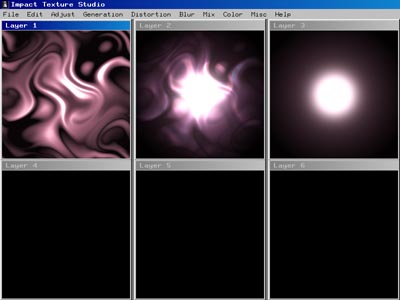
This is the main display of ITS. At the top you can find the menu options, and below that there are 6 layers you can use to create textures. Layers consist of 3 channels (red, green and blue) and can be mixed, multiplied and distorted with other layers. Channels can also be mixed and multiplied with other channels.
Left click on a menu to activate
it, and left click on a menu option to execute it.
Left click on a layer to select
it as the current layer (on which all operations are performed).
CRTL-Z is a short-cut to the undo-option.